Upload


How to Replace Audi A6L Key Fob Battery (Panasonic CR2032 3V Battery)
Why You Should Replace It Yourself
Most car owners are familiar with key fob batteries, but have you ever thought about which brand of coin cell battery is the most reliable? And how can you replace it without spending too much?
When your car key runs out of power, many people go straight to the 4S store or dealership to replace the battery - but that often costs much more than necessary. Is there a better way? Absolutely! Here's a simple, cost-effective method that improves your key fob's performance and saves money.

As an Audi A6L owner, I've experienced issues like weak signal response and dead key fob batteries. Although replacing the battery at a dealership is convenient, the price can be unreasonably high. So, I started looking for a more practical solution.
Today, I'll show you exactly how to replace the Audi A6 key fob battery yourself.
First, locate the small release button on the back of the key fob. Press it gently, and the mechanical key will pop out. Next, use the mechanical key to push along the inner side of the key slot - the battery compartment will open. Remove the old battery and replace it with a brand-new Panasonic CR2032 3V lithium coin battery.
This Panasonic CR2032 battery features a reliable lithium-manganese structure that offers strong conductivity, low energy loss, and long-lasting durability - typically lasting up to 2–3 years. Finally, close the battery cover and reinsert the mechanical key - that's it!
The Panasonic CR2032 not only offers excellent performance but also provides stable remote distance without fluctuation. If you want a simple, budget-friendly way to maintain your car key, this method is for you.
What You'll Need
- 1 × Panasonic CR2032 3V lithium coin cell
- Small flathead screwdriver (or a plastic prying tool)
- Soft cloth/paper towel to protect the key fob surface
Step-by-Step Replacement
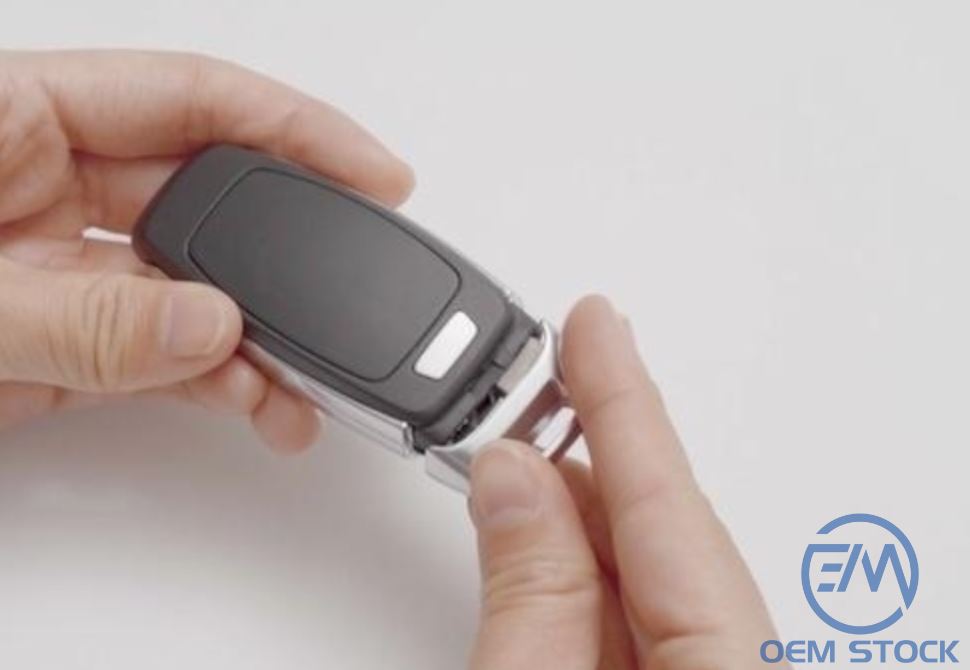
1) Remove the Mechanical Key
- Flip the key fob and find the small release button on the back.
-
Press the button and pull out the mechanical key.
2) Open the Key Fob
- Locate the small gap near where the mechanical key was.
- Insert the flathead screwdriver gently and pry open the battery compartment.
-
Or simply remove the key, find the small gap near the mechanical key, and use the key
-
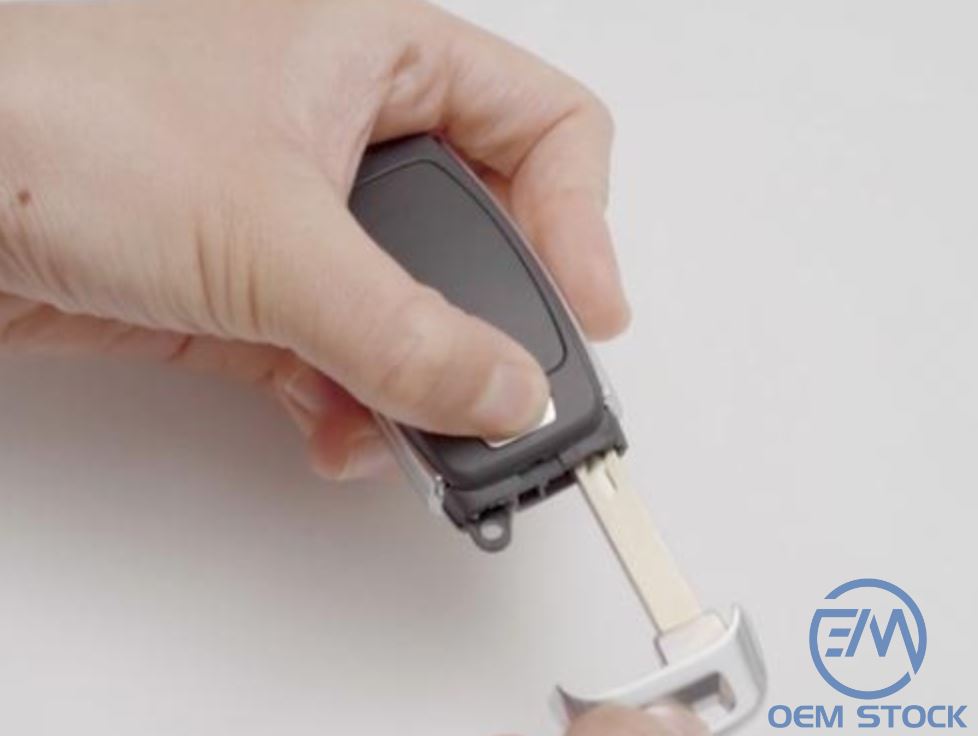
Tip: Be gentle to avoid damaging the plastic clips. Wrap the screwdriver tip with a tissue to prevent scratches.
3) Replace the Battery
- Lift out the old coin cell with a fingernail or screwdriver.
- Note the polarity: the "+" side faces up.
- Insert the new Panasonic CR2032 3V and ensure it sits snugly against the contacts.
-

4) Reassemble & Test
- Snap the cover closed and reinsert the mechanical key.
- Press Lock or Unlock. If the LED blinks or doors respond, you're done.
Benefits of Panasonic CR2032
- Longer lifespan: Typically 2–3 years of reliable performance.
- Stable output: Consistent voltage for a steady remote signal.
- Cost-effective: DIY replacement costs only a few dollars vs. dealership fees.
Extra Tips
- Wipe the metal contacts before installing the new battery.
- Avoid touching both faces of the coin cell for too long-skin oils can affect conductivity.
- If it doesn't work immediately, reseat the battery and confirm the "+" side is up.
Related information

- 2025.10.28 Choosing the Right LED Resistor for 12V LEDs